Switch features on and off
Chat, events, calendar feeds, posts and comments work at tenancy level and community level. A community can only use what is on for its tenancy.
Open Settings, then Features.
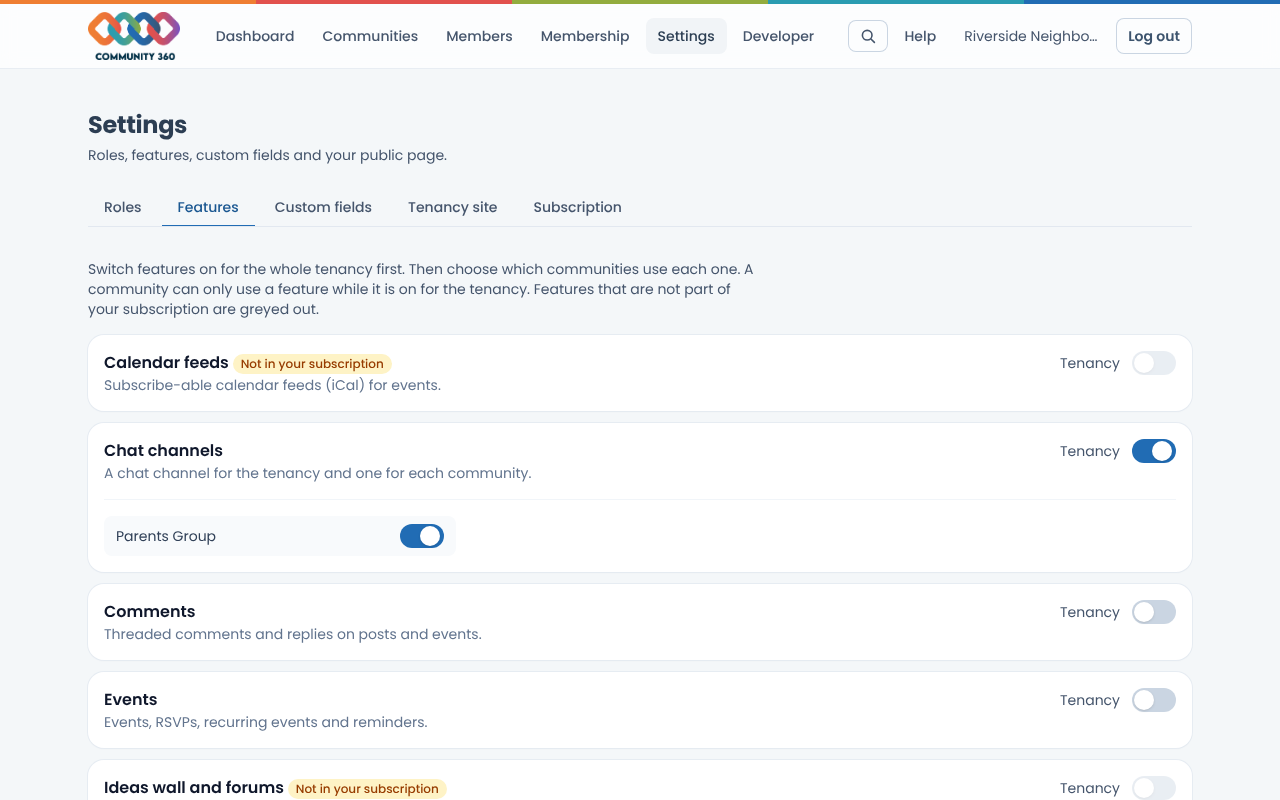
Use the Tenancy switch to turn a feature on for the whole tenancy. Features marked Not in your subscription must be licensed by your platform administrator first.
Once a feature is on for the tenancy, each community appears underneath with its own switch. Turn it on for the communities that should use it.
Turning a feature off for the tenancy turns it off in every community.