
Provision a tenancy (Management Portal)
Platform administrators create tenancies, set their plan and limits, and licence the features each one can use.
Log in as a Super Admin. You land in the Management Portal, which lists every tenancy with its plan and usage.
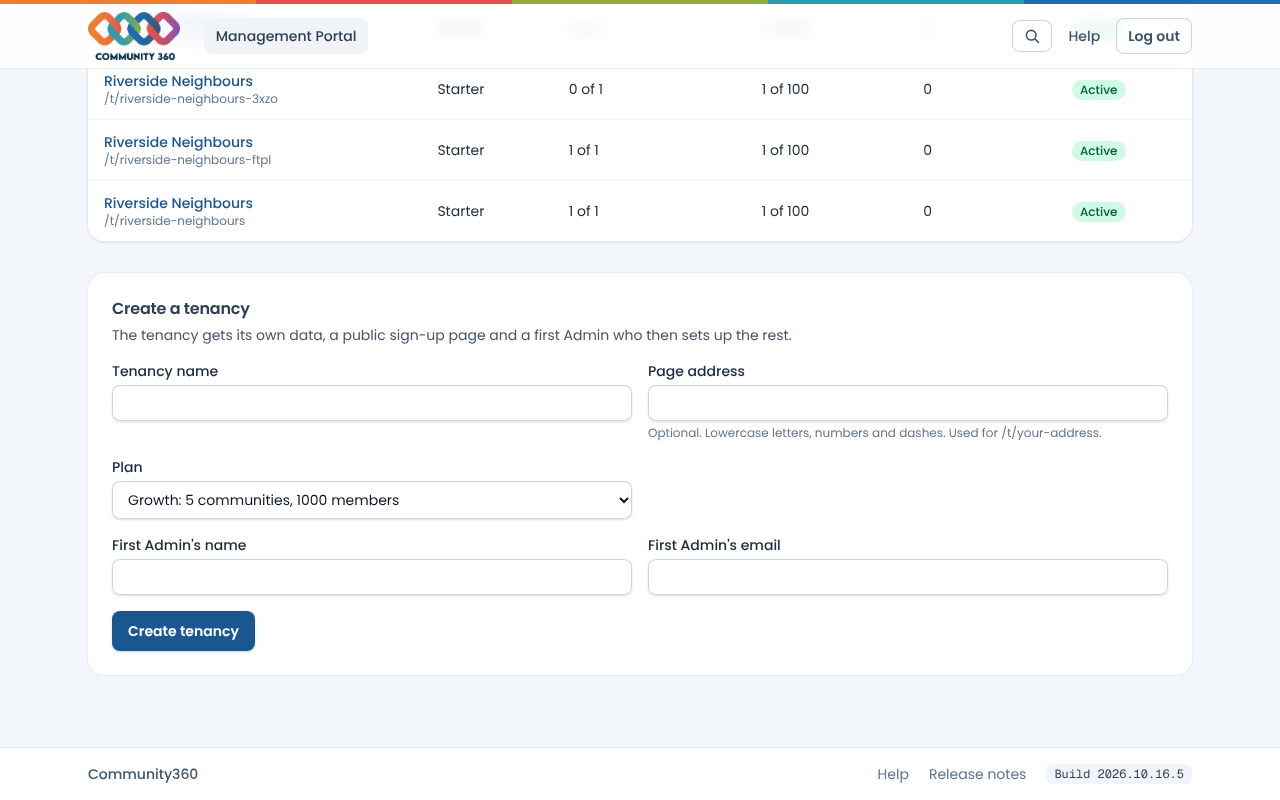
Under Create a tenancy, enter the tenancy name, choose a plan, and enter the first Admin's name and email. Choose Create tenancy.
If the Admin is new, a temporary password is shown once. Copy it and send it to them. If they already have an account they just log in as usual.
Choose the tenancy's name to open it. Change the plan, community limit or member limit, add internal notes, or suspend the tenancy.
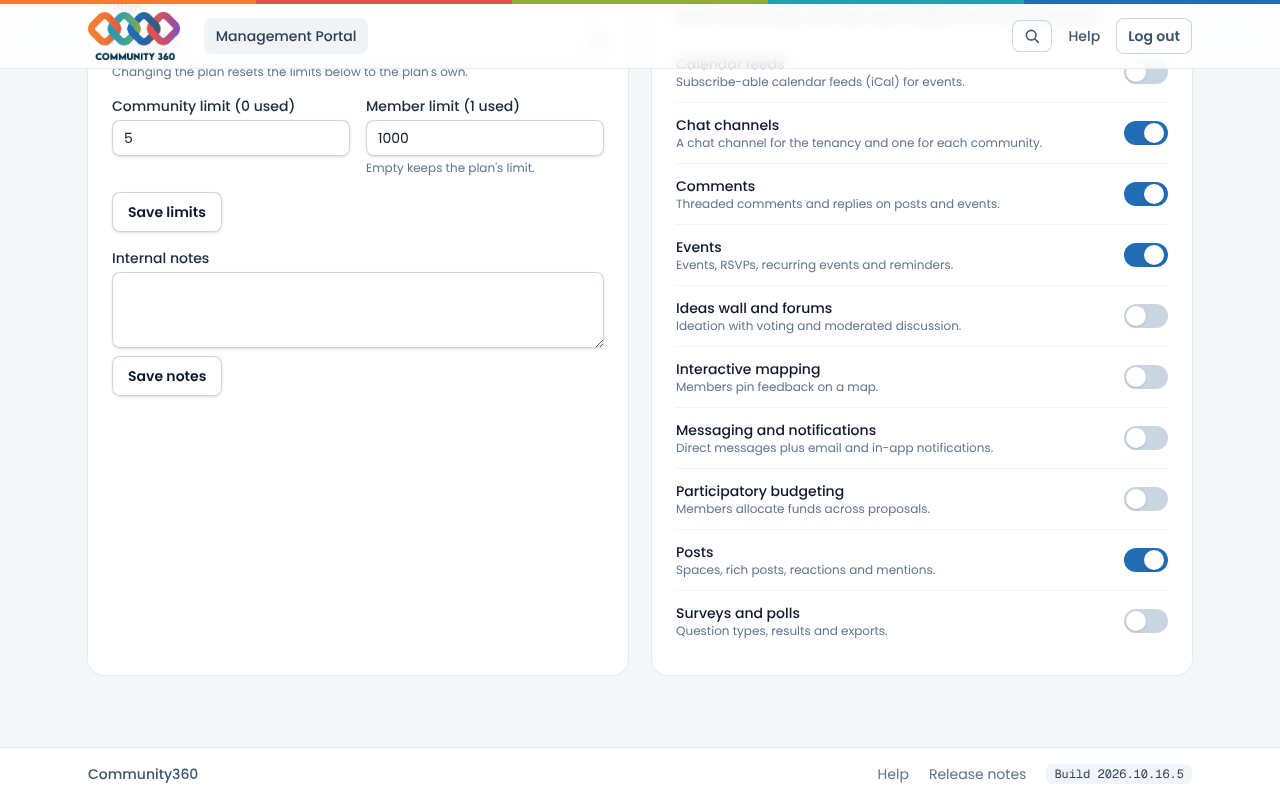
Under Licensed features, switch on the features this tenancy has paid for. The tenancy can only switch on features you license here.