
Create a membership tier
Membership belongs to the tenancy. Tiers decide what members get and what it costs, and each picks its own features and communities.
Open Membership in the top bar.
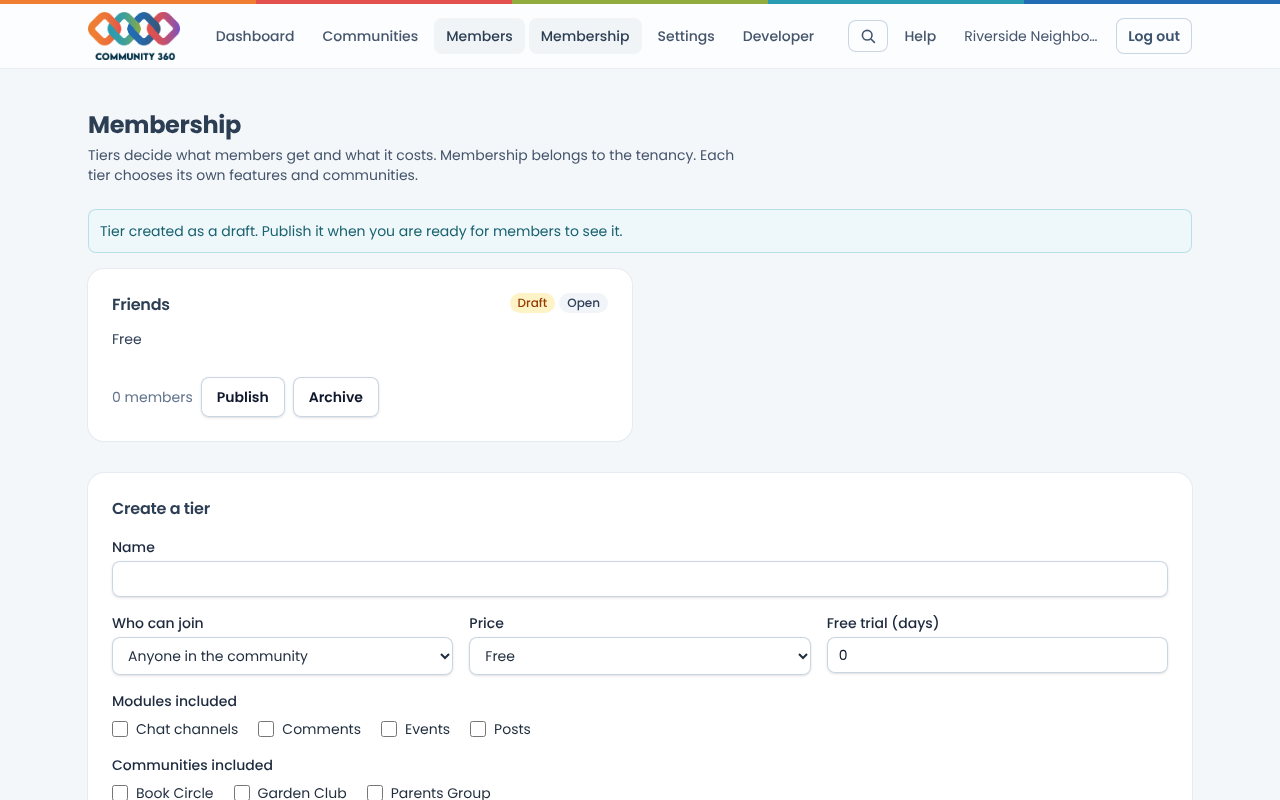
Under Create a tier, enter a name and choose who can join: anyone, anyone after approval, or invite only.
Choose a price: Free, Recurring (pick how often it renews), One-off or Lifetime, and optionally a free trial in days.
Tick the features and communities this tier includes. Only features switched on for the tenancy are listed.
Choose Create tier. It starts as a draft that members cannot see. Choose Publish when you are ready.
When a member asks to join a tier that needs approval, it appears under Waiting for approval. Choose Approve.