
Customise your sign-up page
Every tenancy has a public page where people join. Change its words, colour and whether sign-up is open.
Open Settings, then Tenancy site.
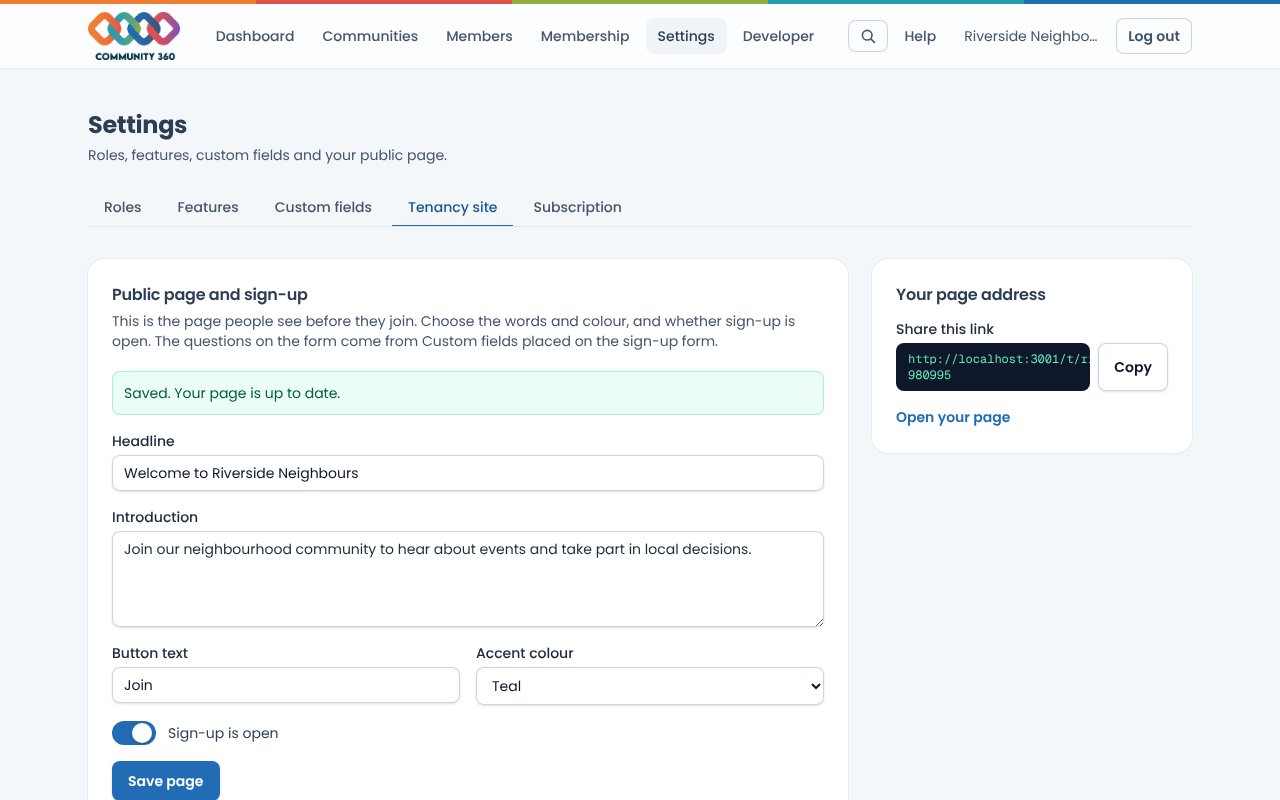
Edit the headline and introduction, the button text and the accent colour, then choose Save page.
Copy the link under Your page address and share it. It looks like /t/your-address.
To pause new sign-ups, switch Sign-up off. The page stays up and says sign-up is closed.
The questions on the form come from Custom fields placed on the sign-up form.