
Search everything
One search box finds people, communities, roles, custom fields, help articles and pages. It only shows what your role lets you see.
Press Ctrl and K (Command and K on a Mac) on any page, or choose Search in the top bar.
Start typing. Results are grouped: Members, Communities, Membership tiers, Roles, Custom fields, then pages and help.
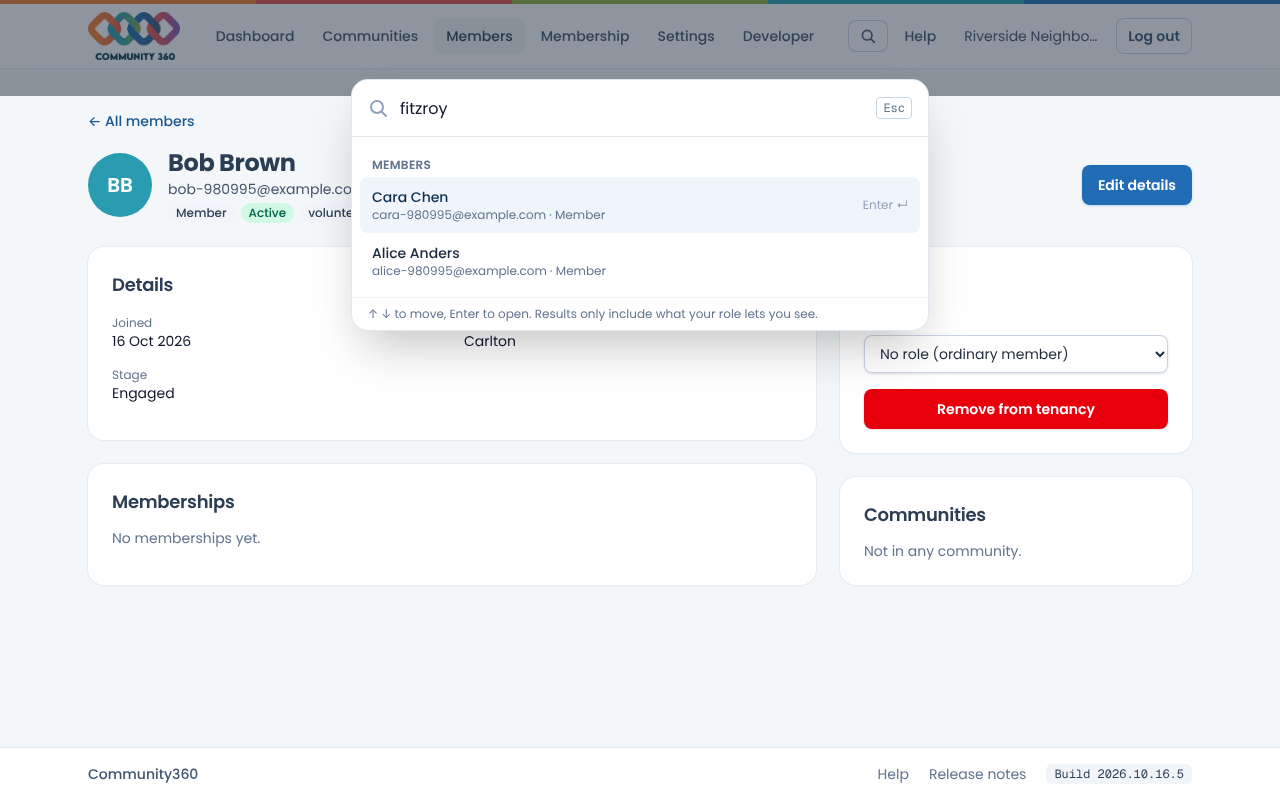
Use the up and down arrows to move, and Enter to open the highlighted result. Escape closes search.